
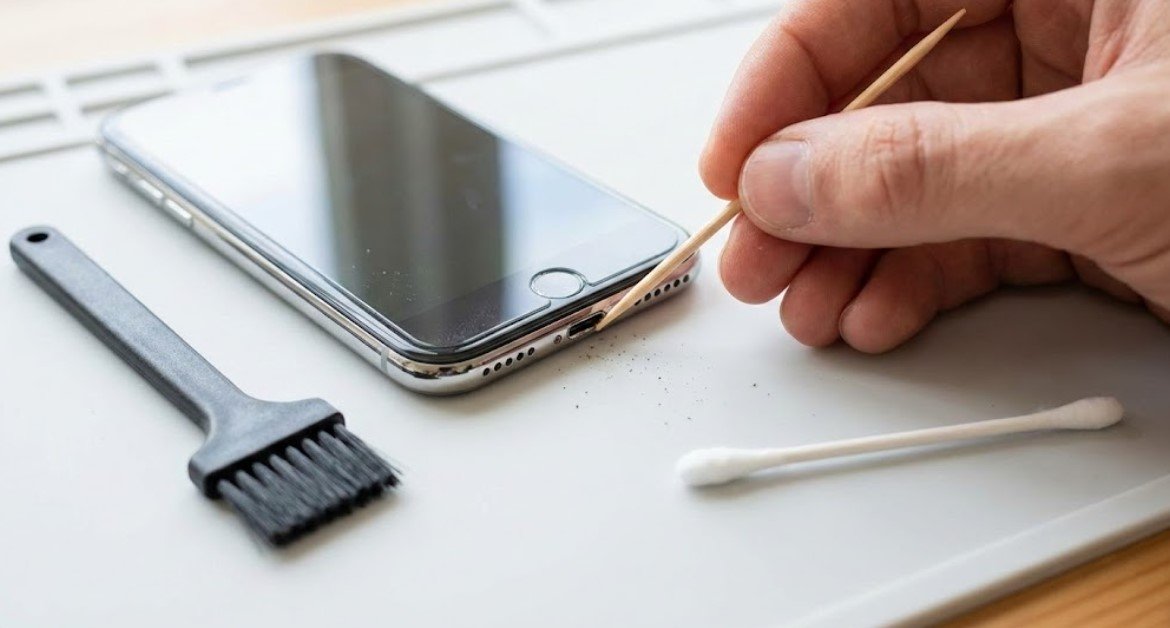
How to Clean Charging Port Without Compressed Air (The “Toothpick” Hack)
There is no panic quite like the “1% Battery” panic.
I plugged my phone in last night, heard the satisfying click… or so I thought. I woke up six hours later to a dead screen and a charger cable that had fallen onto the floor.
I shined a flashlight into the port. It was a horror show. It looked like a dryer lint trap had exploded inside my phone. Since I was out of canned air (and refused to drive to the store at 7 AM), I had to figure out how to clean charging port without compressed air safely.
It turns out, you don’t need high-pressure gas. You just need steady hands and something you probably have in your kitchen drawer.
What I Use For This Job
Using the right tools saves time and protects your belongings. Here are my exact recommendations:
*As an Amazon Associate, TidyFormula earns from qualifying purchases.
⚡ The TidyFormula™ Quick Answer
The Recommendation: Use a wooden toothpick or a plastic dental pick to gently scoop out lint. Never use metal.
- The Mix: A wooden toothpick + A bright flashlight.
- Time: 5 Minutes.
- Effectiveness: 9.5/10 (Actually better than air, which just pushes dust deeper).
The Tool Selection: Metal is the Enemy
Before you grab a safety pin or a paperclip: Stop.
Your charging port is full of delicate gold-plated pins that conduct electricity. If you shove a piece of metal in there, you risk shorting out the battery or scratching the contacts. Once those pins are scratched, the phone is toast.
I use a standard wooden toothpick. If it’s too thick, I use a knife to whittle the tip down until it’s razor-thin. It’s soft enough that it won’t scratch the metal, but sturdy enough to hook the lint.
How to Clean iPhone Port Without Air Duster
Lightning ports (on older iPhones) are basically tiny caves. Lint gets packed into the very bottom, preventing the cable from seating fully.
The “Scoop and Flick” Method
- Turn it off: Ideally, power down the phone. We don’t want any sparks.
- The Inspection: Shine a bright flashlight directly into the hole. You will likely see a grey, fuzzy mat at the bottom. That’s the enemy.
- The Dig: Insert the toothpick gently. Stick it all the way to the back wall.
- The Scoop: Scrape across the bottom and pull up. Do not dig side-to-side too hard.

My experience: “I pulled this out on the first try. It felt surprisingly solid, like a tiny piece of felt.”
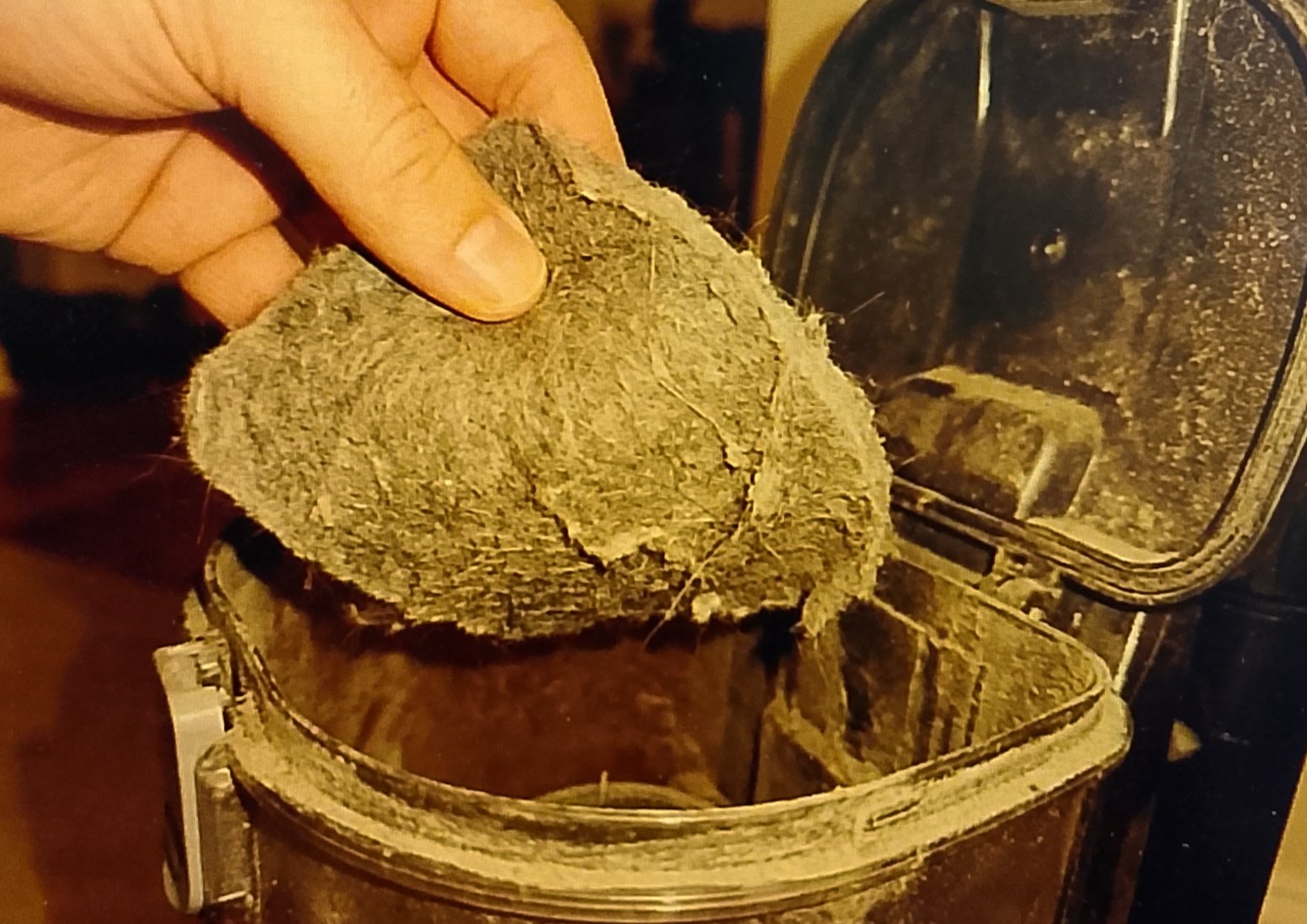
You might have to do this three or four times. The lint comes out in layers. It’s oddly satisfying, like popping a pimple.
🧪 The Science: Why It Stops Charging
It’s not just dirt. Every time you shove your charger cable in, you are physically compressing the lint at the bottom of the port. Over months, this creates a non-conductive barrier. Your cable literally cannot reach the electrical pins because of the “lint wall.”
How to Clean USB C Port Without Compressed Air
USB-C ports (Androids and newer iPhones) are trickier. They have a fragile “tongue” right in the middle of the port with pins on both sides. If you snap that tongue, the phone is dead.
The “Dental Pick” Technique:
For USB-C, a round toothpick is often too thick. I use those plastic dental floss picks (the pointy end). They are thinner and flexible.
- Gently insert the plastic pick along the side of the center tongue.
- Run it around the oval perimeter.
- Be Gentle: Imagine you are trying to get food out of your teeth. Use that level of force.
The “Sticky Tape” Finish
After scraping, there might be loose dust floating around that the toothpick can’t grab. I use a piece of regular scotch tape.
Roll the tape into a tiny, thin tube (sticky side out). Gently insert it into the port and pull it out. It picks up the microscopic dust that was left behind. It’s the final polish.
When This Fails
If you’ve scooped out enough lint to knit a sweater and it still won’t charge, check the cable. 90% of the time, the port is fine, but the cable is frayed internally. Try a new cord before you panic and call a repair shop.
FAQ
Can I use a toothbrush?
Yes, a clean, dry, unused toothbrush is great for loosening debris, but it often can’t reach the deep compacted lint at the bottom like a toothpick can.
Can I use alcohol?
Only if you really need to. Use 70% isopropyl alcohol on a cotton swab, but ensure it is barely damp. Do not pour liquid into the phone.
How often should I do this?
Whenever you feel the “click” disappear. If the cable feels mushy when you plug it in, it’s time to dig.
Everything Mentioned Above
Before you leave, grab the tools you need to get the job done right the first time:
*As an Amazon Associate, TidyFormula earns from qualifying purchases.


One Comment