How to Clean Xbox One X Fan Without Opening (The Safe Way)
You can safely clean an Xbox One X without opening it by powering it off, unplugging it, loosening dust from the exterior vents with a soft brush, and collecting that dust with low suction. Compressed air is optional and should only be used in short, angled bursts across the vents—not blasted into the console.
⚡ The TidyFormula™ Quick Answer
The Verdict: Unplug the console, loosen exterior dust with a soft brush, collect it with a low-suction vacuum held outside the vents, and use compressed air only as an optional finishing step.
- What You Need: A dry microfiber cloth, a soft artist’s paintbrush, and a vacuum with a hose attachment.
- Optional: A can of compressed air with a straw.
- Time: About 10 minutes.
- Limitation: This clears the exterior airways and reachable dust. It cannot remove buildup deep inside the fan or heatsink.
Before You Start
Shut down the Xbox completely rather than leaving it in Instant-On or sleep mode. Unplug the power cable and every connected accessory, then let the console cool to room temperature.
Move it to a stable, well-lit surface where loosened dust will not fall into carpet, bedding, or another electronic device. If possible, work outside or in a ventilated utility area.
Use only dry tools around the vents. Do not spray cleaner, water, or rubbing alcohol into the console.
What I Use For This Job
Using the right tools saves time and protects your belongings. Here are my exact recommendations:
*As an Amazon Associate, TidyFormula earns from qualifying purchases.
Safe Tools
- A clean, dry microfiber cloth for the outer case
- A soft, clean paintbrush or detailing brush
- A household vacuum with adjustable suction and a hose
- Optional canned compressed air used according to its label
Tools and Methods to Avoid
- Hair dryers, heat guns, or heated air
- Metal picks, screwdrivers, or cotton swabs inserted through the vents
- Liquids sprayed directly onto the case, vents, or ports
- High-pressure air compressors, which may release moisture or oil
- Sealing a powerful vacuum nozzle directly against a vent
The Logic: Why You Can’t Just “Blow” It
Dust catches on the vent grille and combines with hair and lint. Blasting air straight into the console can move that material deeper instead of removing it.
The safer approach is to loosen dust at the surface first and collect it as it comes free. This improves the available airflow without pretending to provide the same result as an internal cleaning.
Step 1: Mechanical Agitation With a Brush
Use a dry, soft paintbrush to clean the intake vents, rear exhaust grille, and seams around the case.
Position each vent so loosened debris can fall away from the console rather than into it. Brush lightly across the grille and toward its outer edge. Do not force the bristles deep through the openings.
Wipe the solid exterior panels with a dry microfiber cloth. Avoid pushing the cloth into the vent holes, where it can leave fibers behind.
Step 2: The Vacuum Pass
The Xbox One X draws cooling air through its side openings and releases warm air through the rear. Both areas need to remain clear.
- Confirm It Is Unplugged: Disconnect the power cable and accessories before bringing a brush or vacuum near the console.
- Select Low Suction: Use the lowest practical vacuum setting.
- Keep the Nozzle Outside: Hold the hose a short distance from the vent while brushing. Let it capture airborne dust instead of sealing it against the grille.
- Clean Every Vent: Work around both side intakes and the rear exhaust. Move slowly rather than concentrating strong suction in one spot.
Avoid rubbing the vacuum nozzle across the plastic case. Do not insert an attachment into a vent or use enough suction to make the internal fan spin rapidly.
🧪 Why Vent Cleaning Helps
Dust, hair, and lint reduce the open area available for cooling air. The console may respond to higher internal temperatures by running its fan faster. Clearing the external vents can improve airflow, but it will not remove dust already packed into the internal heatsink.
Step 3: Compressed Air as an Optional Finish
Compressed air is not essential. A brush and carefully positioned vacuum are the safer choices when the visible dust has already been removed.
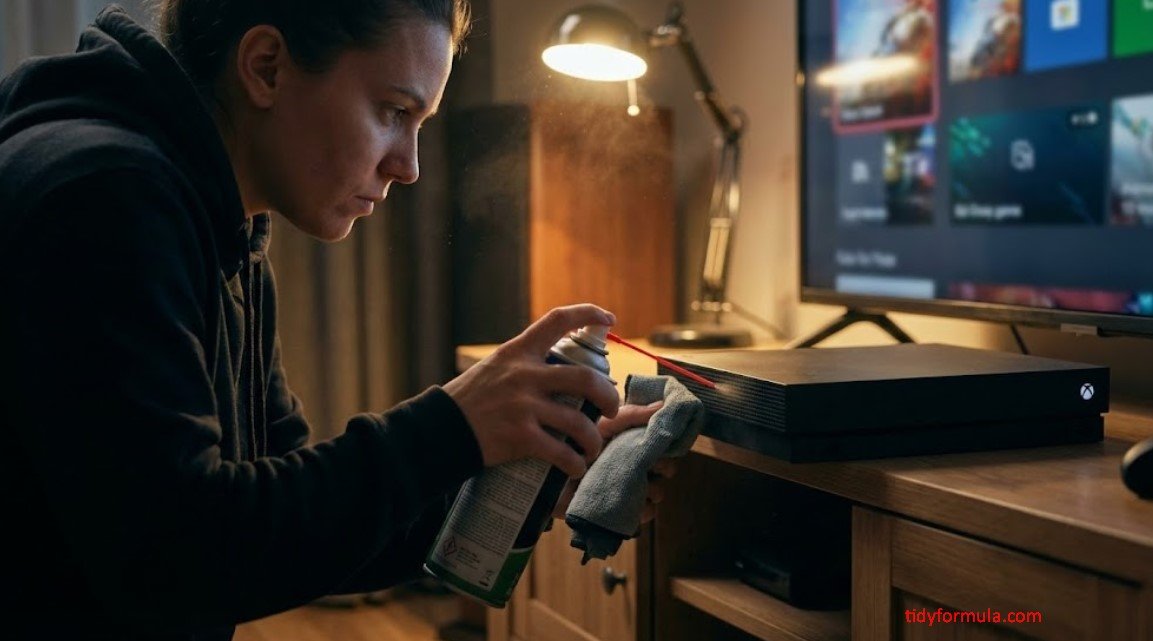
If debris remains in the vent grille, keep the can upright and follow its label. Use short, gentle bursts with the straw angled across the surface so the air skims the openings. Do not insert the straw or point it straight into the console.
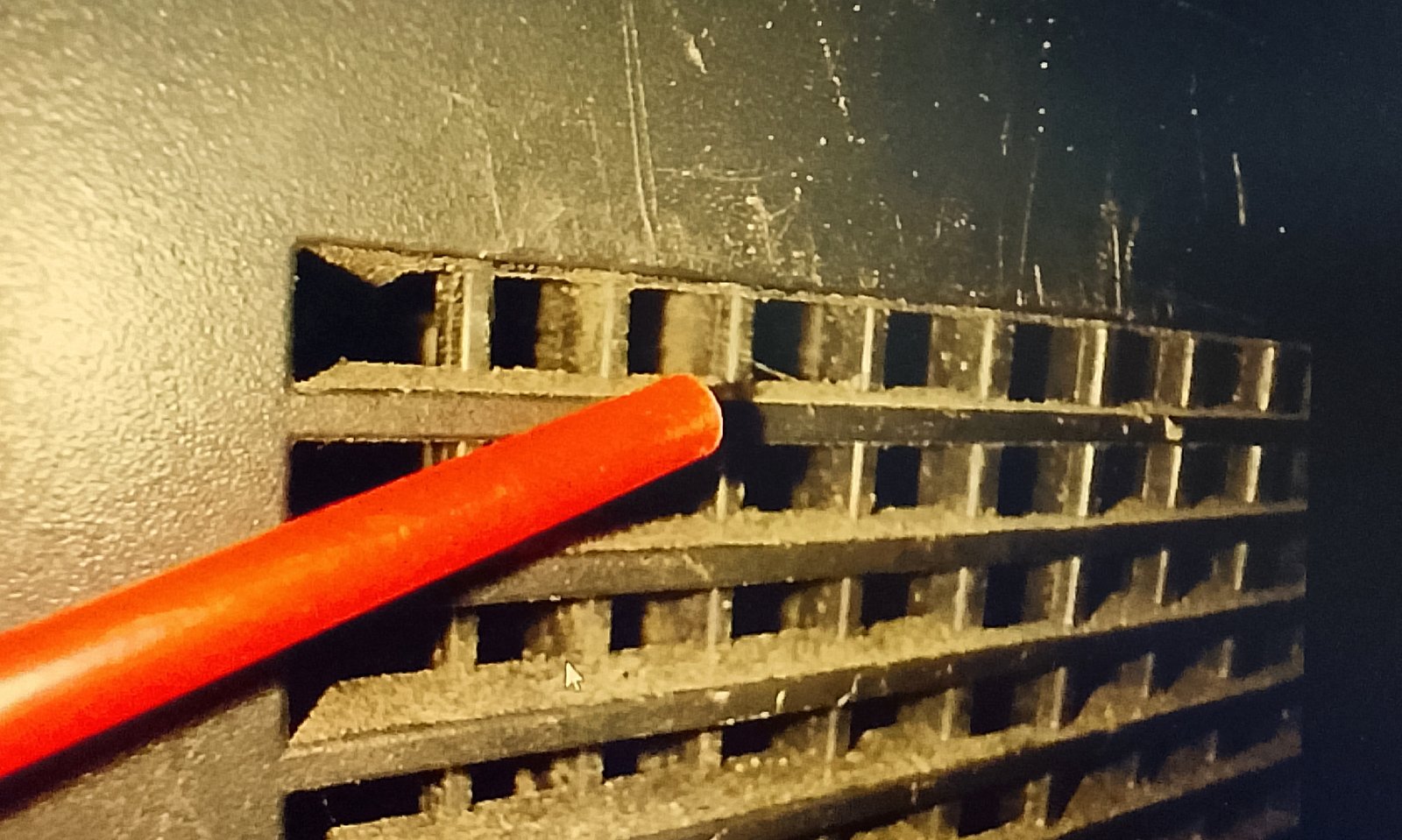
Keep the vacuum running nearby to catch dust that leaves the grille, but do not press its nozzle against the console. Pause if the can becomes very cold, sprays visible liquid, or causes the internal fan to spin noticeably.
After Cleaning: Inspect and Test the Xbox
Check every vent under good light. Remove any remaining surface lint with the brush rather than pushing it inward.
If canned air released visible liquid, do not reconnect the Xbox until the case and openings are completely dry and the console has returned to room temperature. Otherwise, reconnect the system and place it on a hard, stable surface with open space around its vents.
Turn it on and listen first at the Home screen. Then launch a game you know well and compare the fan noise after several minutes. A fan becoming more noticeable during a demanding game can be normal. Grinding, clicking, repeated shutdowns, or overheating warnings are not.
Stop Using the Console If You Notice
- A burning or electrical odor
- Grinding, scraping, or repeated clicking from the fan area
- Overheating warnings or heat-related shutdowns
- Little or no warm airflow from the rear while the console is under load
- Visible liquid inside a vent or port
These symptoms call for professional inspection or an internal repair rather than additional air or vacuuming.
Specific Guide for Other Models
Cleaning Xbox One S (The “Cheese Grater” Vents)
The One S is a bit different because of its perforated top vent. This surface readily catches crumbs, hair, and lint.
With the console unplugged, position the vent so dust can fall outward. Move a soft brush lightly over the holes in a circular motion, then collect the loosened debris with a low-suction vacuum held just above the surface. Do not push the brush deep enough to contact the fan.
Cleaning Xbox Series S (The Gravity Trick)
The large black circle on the Series S is its main exhaust area and can make pale dust especially visible.
Hold the unplugged console securely with the exhaust angled toward the floor while brushing the outer grille. This helps loose dust fall away instead of dropping through the openings.
- Tip: Do not shake the console or set it upside down on an unstable surface. Support it with both hands or place it securely on a clean, soft towel while you work.
Don’t Forget the Ports
Dust around HDMI, USB, Ethernet, and power connections can prevent a plug from seating securely. With the console unplugged, brush around the outside of each port using a clean, dry brush.
Do not insert toothpicks, metal tools, cotton swabs, or vacuum attachments into a port. The contacts are easy to bend. If necessary, use one gentle burst of compressed air across the port opening while keeping the can upright.
The Reality Check
Cleaning an Xbox One X without opening it is exterior maintenance. It can clear blocked vents and remove loose debris near the grille, but it cannot reliably clean the fan blades, heatsink fins, or internal power-supply area.
If the Xbox remains unusually loud when sitting at the Home screen, overheats after the vents are cleared, or makes mechanical noises, the likely problem is beyond the reach of this method. Internal dust, an aging fan bearing, or degraded thermal material may require service.
How to Prevent the Vents From Clogging Again
- Keep the Xbox on a hard, stable surface instead of carpet, bedding, or upholstery.
- Leave open space around the side and rear vents.
- Do not place other electronics, game cases, or decorations on top of it.
- Brush visible vent dust before it develops into a thick mat.
- Keep the surrounding shelf free of pet hair and loose dust.
- Do not cover the console while it is running or still warm.
FAQ: The Skeptic’s Corner
Can I use a hair dryer instead of canned air?
No. A hair dryer introduces heat and produces broad, uncontrolled airflow that can drive dust farther into the console. Use a dry brush and low-suction dust collection instead.
Will vacuuming destroy my Xbox?
Vacuuming the outside can be done cautiously, but do not insert the nozzle, rub it over the case, seal it against a vent, or use strong suction. Keep the Xbox unplugged and hold the nozzle outside the grille as a dust collector.
Can I actually reach the Xbox One X fan without opening it?
Not well enough to clean it thoroughly. You can remove dust from the external vents and some loose debris near the openings, but direct cleaning of the fan blades and heatsink requires internal access.
My Xbox is still loud. What should I do?
Let it cool, confirm that every vent has open space, and listen again at the Home screen. If it remains loud at low load, grinds, clicks, overheats, or shuts down, stop repeating the exterior cleaning process and arrange professional inspection or repair.
Everything Mentioned Above
Before you leave, grab the tools you need to get the job done right the first time:
*As an Amazon Associate, TidyFormula earns from qualifying purchases.